TaskMotion Kanban board: Move work forward.
TaskMotion visually organizes your workflow, breaks work into clear steps, and gives you control across every project.
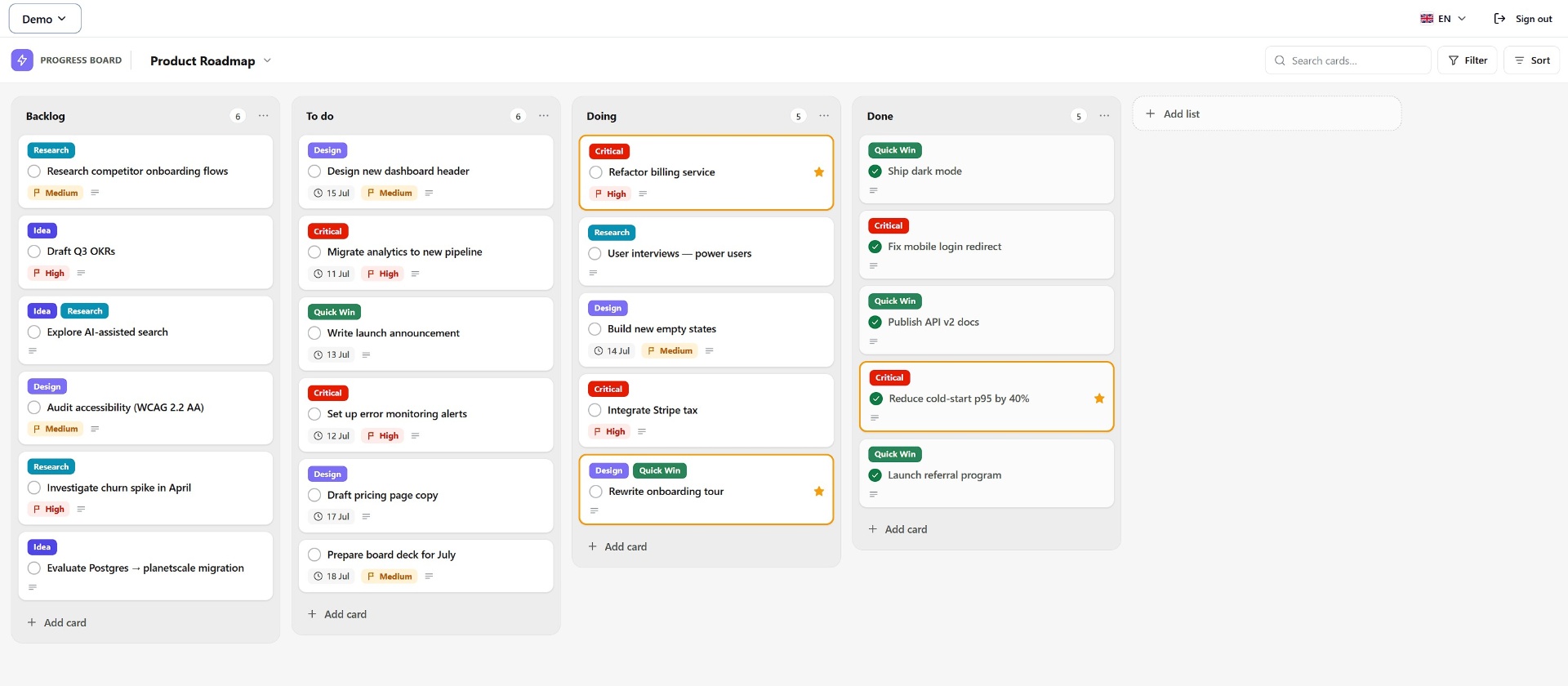
Everything you need to move work forward — nothing you don't.
TaskMotion is built around three ideas: a clean board you can scan in seconds, cards deep enough to hold real context, and a workspace that stays out of your way.
A fresh board, a clear head.
Every workspace begins as a single board with the classic Ideas · To do · Doing · Done columns. Rename them, add more, or drag them into whatever shape your workflow needs. There's nothing else to configure — you're one click from writing your first card.
- Unlimited workspaces and boards
- Custom lists with WIP limits
- Keyboard shortcuts for every action
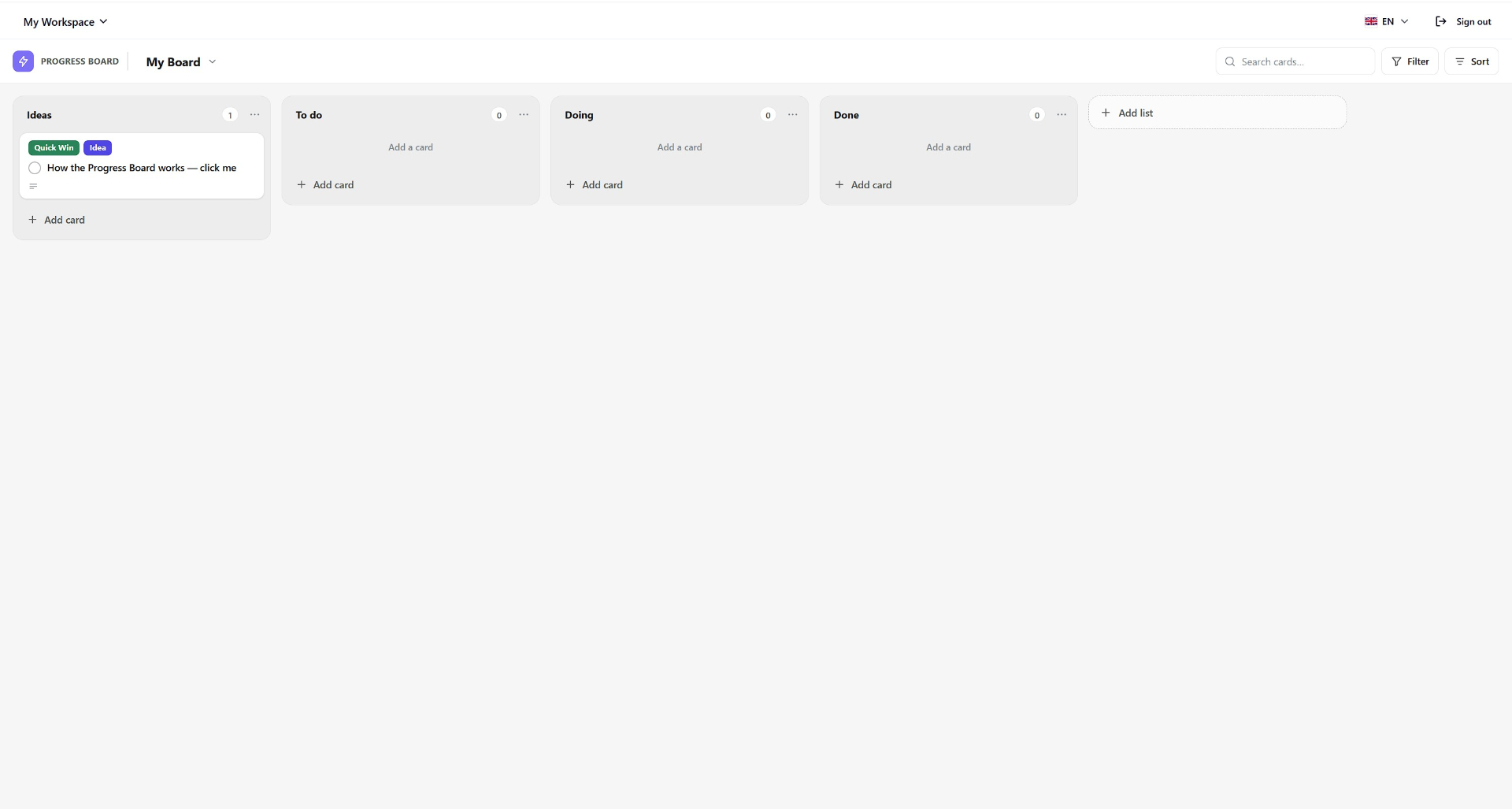
Colour-coded labels. Priority. Dates. At a glance.
Cards carry just enough information to make triage effortless: labels for theme, a priority flag, a due date, and a subtle progress bar for checklists. Star the ones that matter, filter by anything, sort in a click.
- Multi-label filtering and full-text search
- Due-date highlighting for what's overdue
- Drag-and-drop between lists with a live drop indicator
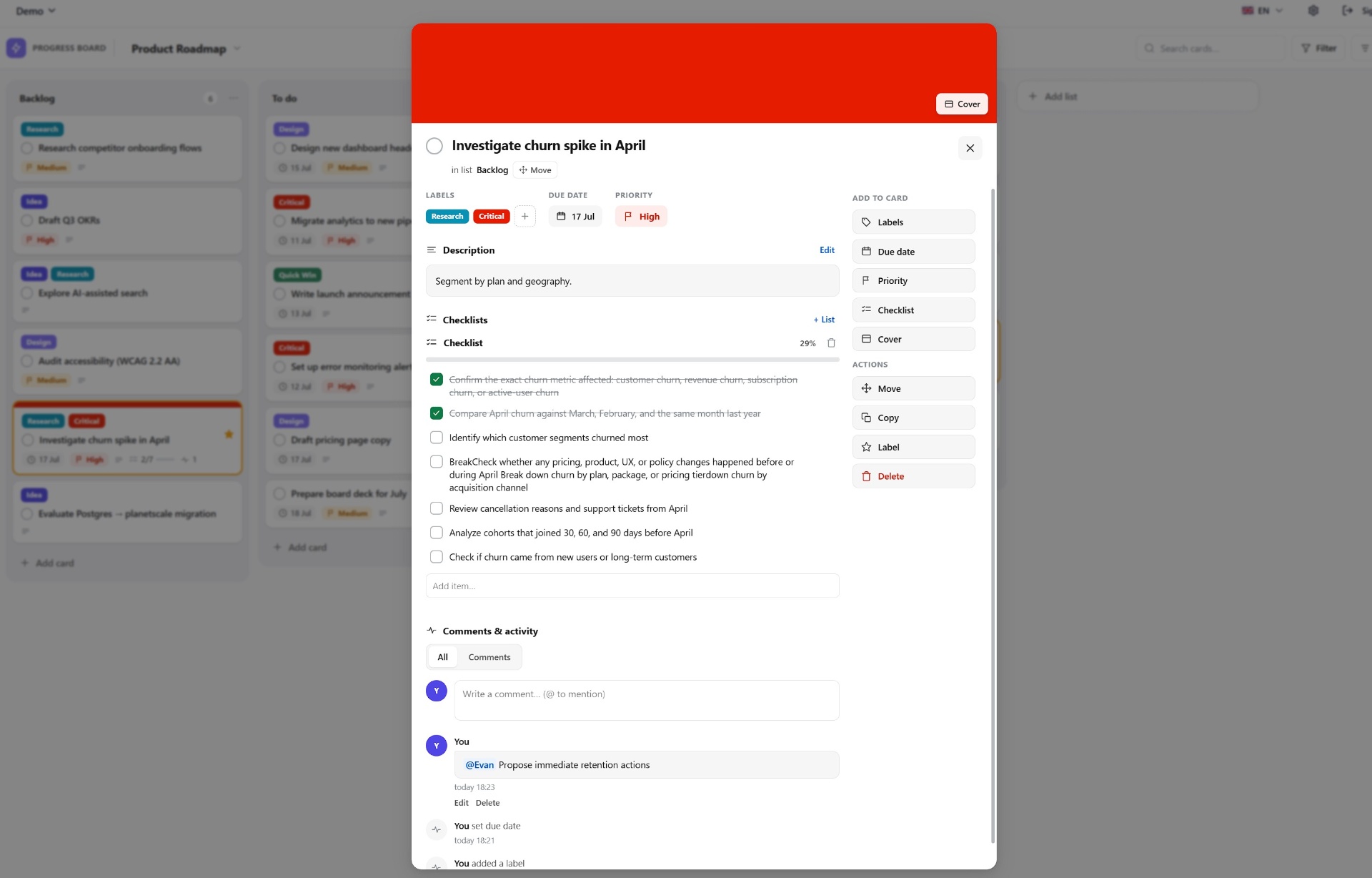
Every card is a small workspace of its own.
Open a card to add a description, break the work into checklists, drop in a cover, tag teammates and hash out the details in comments. An activity stream keeps a clean audit trail — you'll always know what changed and when.
- Rich checklists with per-item progress
- Comments with @mentions and activity feed
- Move, copy, star or archive without leaving the card
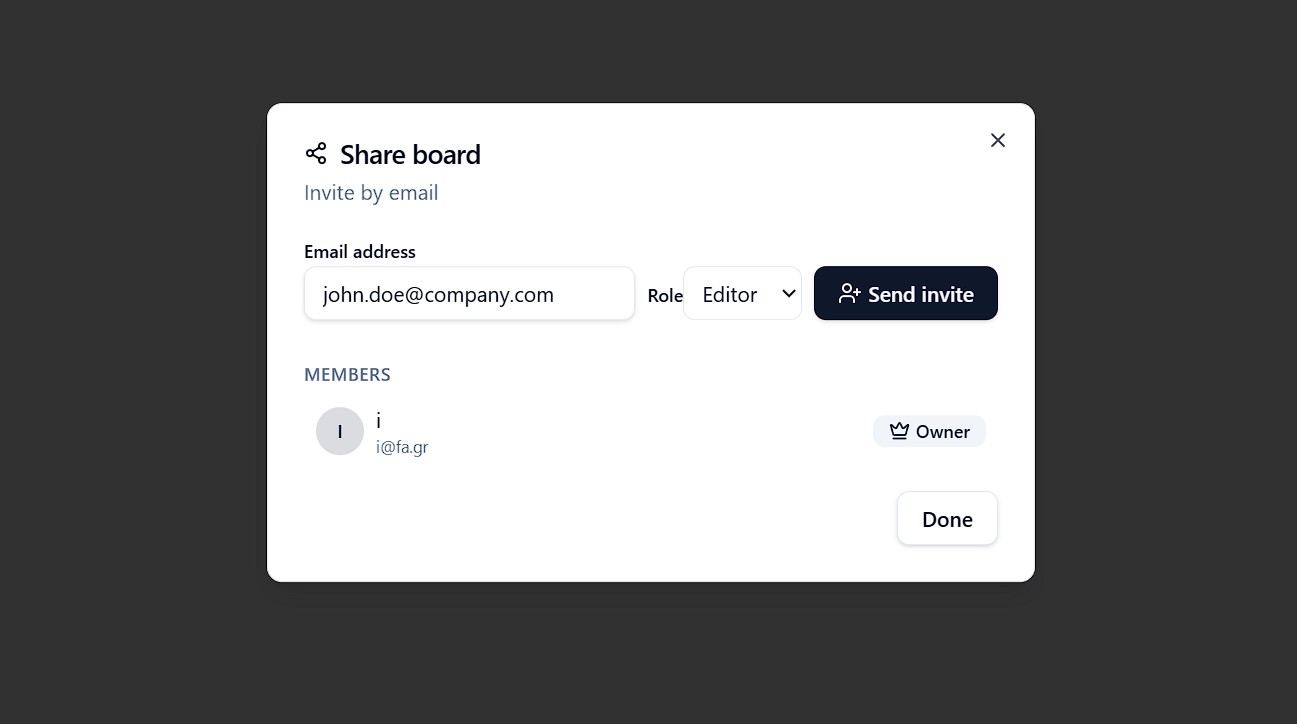
Share a board in a couple of clicks.
Invite teammates by email and pick the right level of access — owner, editor or viewer. Pending invites link up the moment they sign in, and you can change roles or remove people at any time from the same dialog.
- Invite by email with owner, editor or viewer roles
- See every member and pending invite at a glance
- Real-time notifications for mentions, assignments and comments
Small tools, thoughtfully chosen.
From zero to a moving board in about a minute.
Sign up in seconds — email or a magic link, whichever you prefer.
Explore a fully-populated demo workspace, or start with a clean board.
Add cards, drop them into columns, tick items off. You're already using it.
Ready to make progress visible?
Open your first board in under a minute. Free while in beta.