A visual project management tool that stays out of your way
Visual project management means seeing your work instead of reading about it. TaskMotion is a visual project management tool built on Kanban boards: every task is a card, every stage is a column, and progress is simply a card moving from left to right. It suits solo makers and small teams who want clarity without heavy setup.
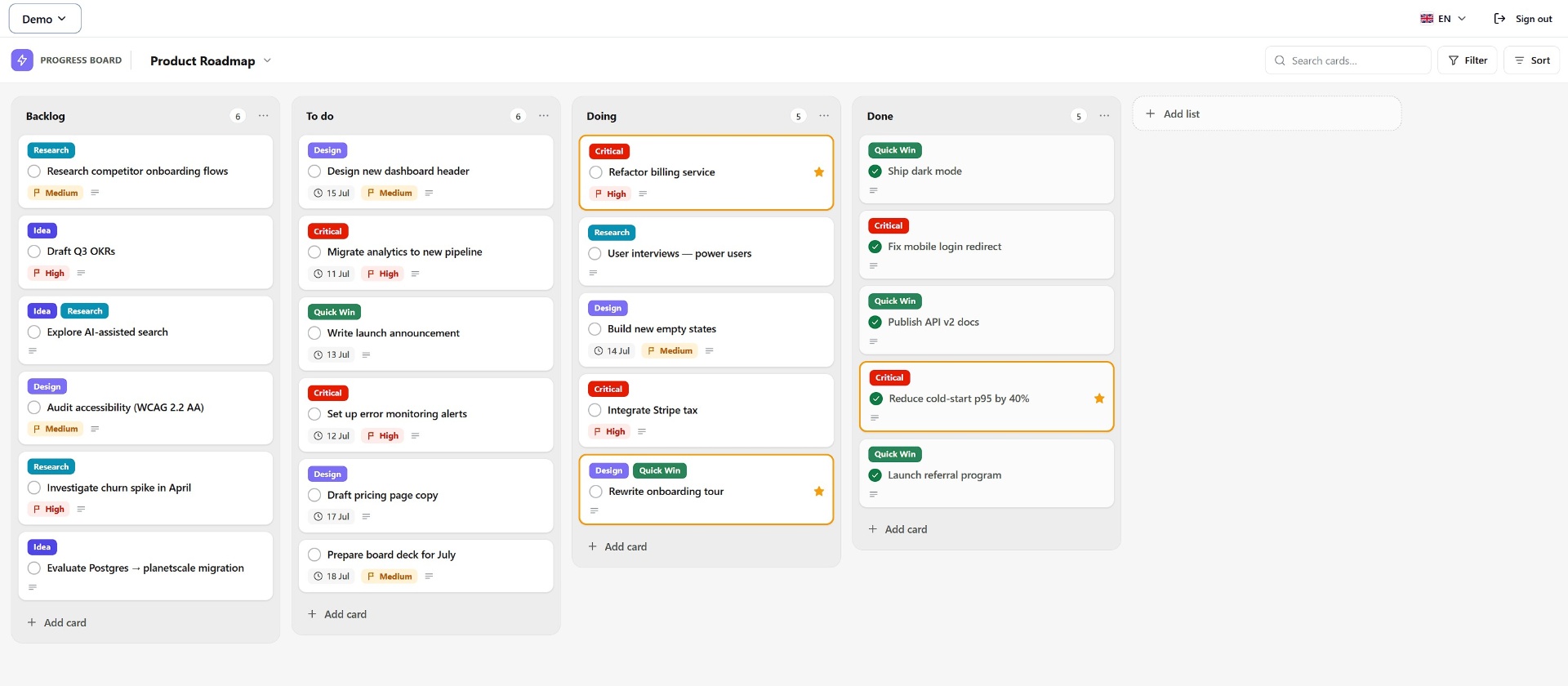
What you can see at a glance
Lay out work as columns such as Ideas, To do, Doing and Done, then drag cards along as they progress.
Tag cards by type or urgency so priorities stand out without opening anything.
Break a card into steps and watch its progress bar fill as items are ticked off.
See what is due soon right on the card, and get a reminder before deadlines.
Discuss a task where it lives and @mention teammates to pull them in.
Invite people by email as editors or viewers, each workspace kept separate.
How to start
- Create a free account and open your first workspace — a starter board is ready for you.
- Rename the columns to match your process and add your first cards.
- Invite teammates to a board when you want to work together.